
A head-to-head ranking turns one question into a game. Rather than asking people to rate items one by one, it shows them two options and asks for a winner. Match after match, the picks add up into an order the crowd produced itself.
This guide builds a ranking on YouPickBest from scratch: the question, the options, the cover, and the moment other people start voting. Screenshots at every step.
What is a head-to-head ranking?
A ranking has two parts:
- A question: the topic being voted on, such as "Best pizza topping" or "Who is the favorite Disney princess?".
- A set of options: the contenders that get compared.
Someone playing your ranking never rates an option on its own. They get a matchup: two contenders, one click, then the next pair. Those clicks combine into a single ordered list.
Choosing between two things costs nothing. Ranking twenty from scratch costs real effort. A head-to-head ranking only ever asks the cheap question, which is why people keep answering it.
Step 1: Start a new ranking
Open the Create page from the menu, or go to /ranking/create directly. No account is needed to begin — build the whole thing as a guest and sign in when it is time to publish.
One question comes first: what do you want people to vote on? Type your own topic, or take one of the trending suggestions under the box.
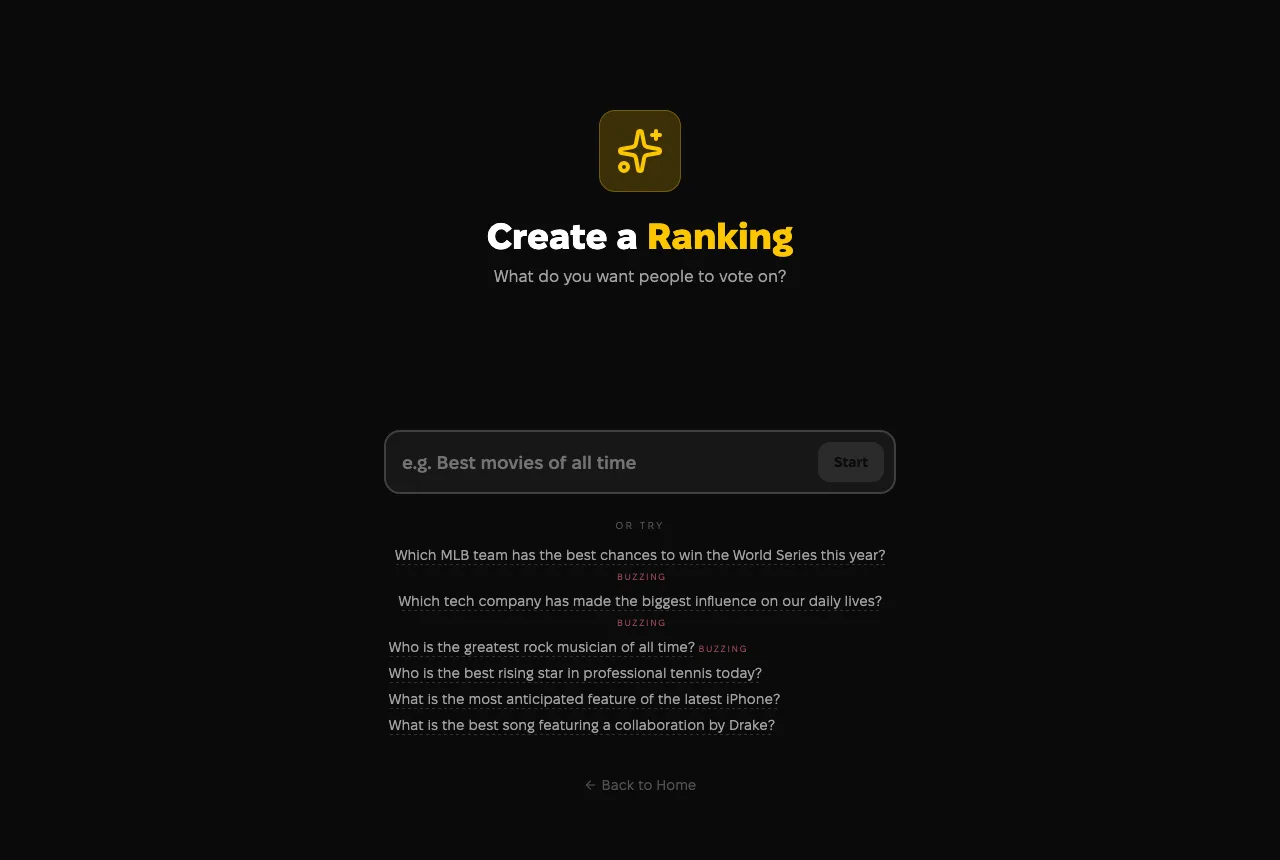
Step 2: Write a clear question
The question is the headline of the ranking, so make it specific:
- Be concrete. "Best Italian dishes" gives voters something to hold on to. "Best food" is too wide to be fun.
- Keep it short. A question that reads at a glance collects more votes.
- Make it opinionated. Topics people already argue about get played the most.
Step 3: Add your options
Options are the contenders. There are two ways to add them, and mixing is fine:
- Take the suggestions. Once the question is set, YouPickBest proposes options with images already attached. Add the good ones with a click and skip the rest.
- Write your own. Add option lets you type a contender, give it a short description, and attach an image.
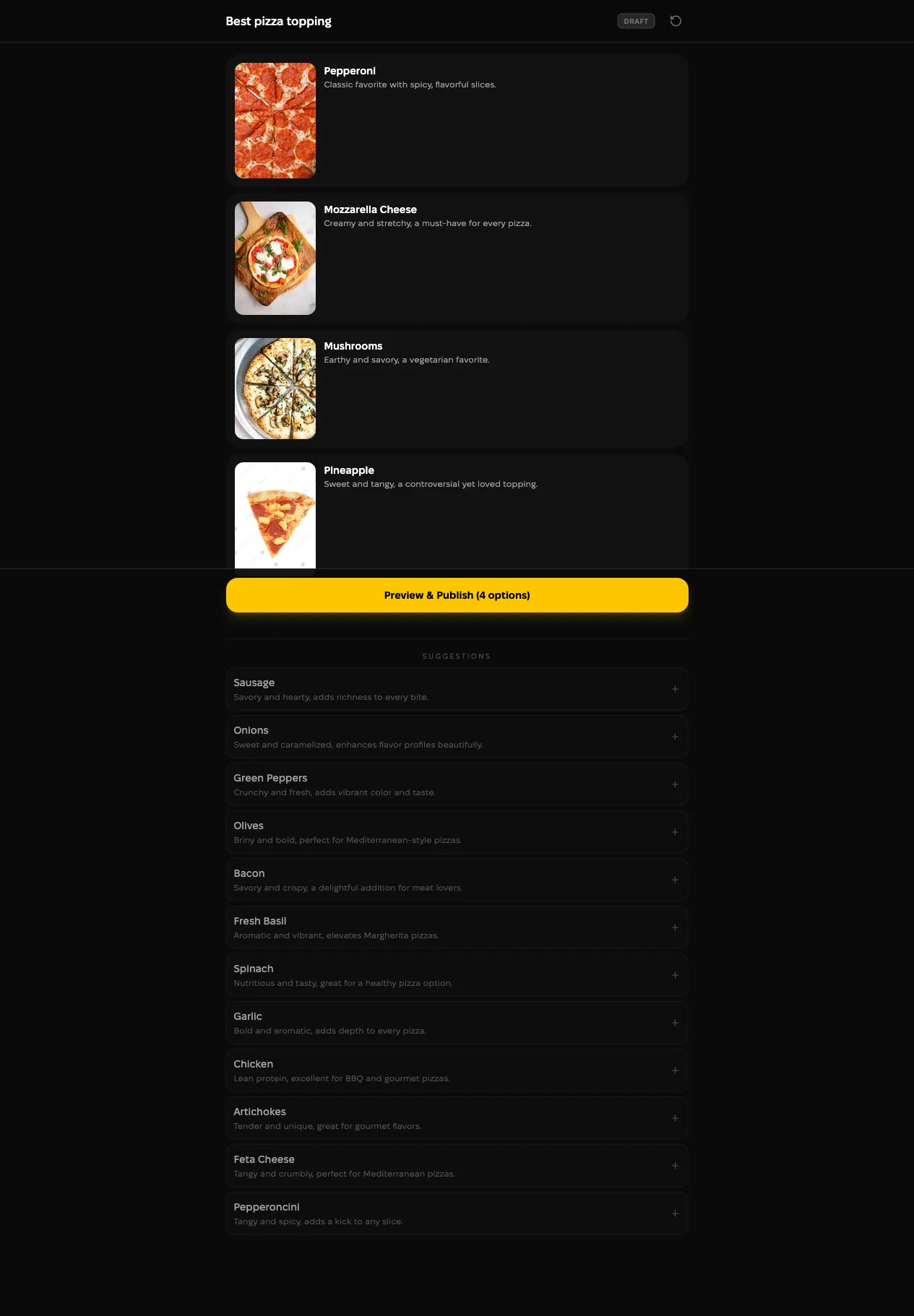
Aim for enough options to keep the matchups interesting — and no more than genuinely belong to the question.
Tip: every option should be a plausible answer. Padding the field with obvious no-hopers makes the matchups easy and the results dull.
Step 4: Preview and publish
Preview & Publish shows the ranking as voters will see it. Three things get settled here:
- The auto-generated description printed under the ranking.
- The cover, either one image or a collage assembled from your options.
- Your own cover image, if you would rather upload or paste one.
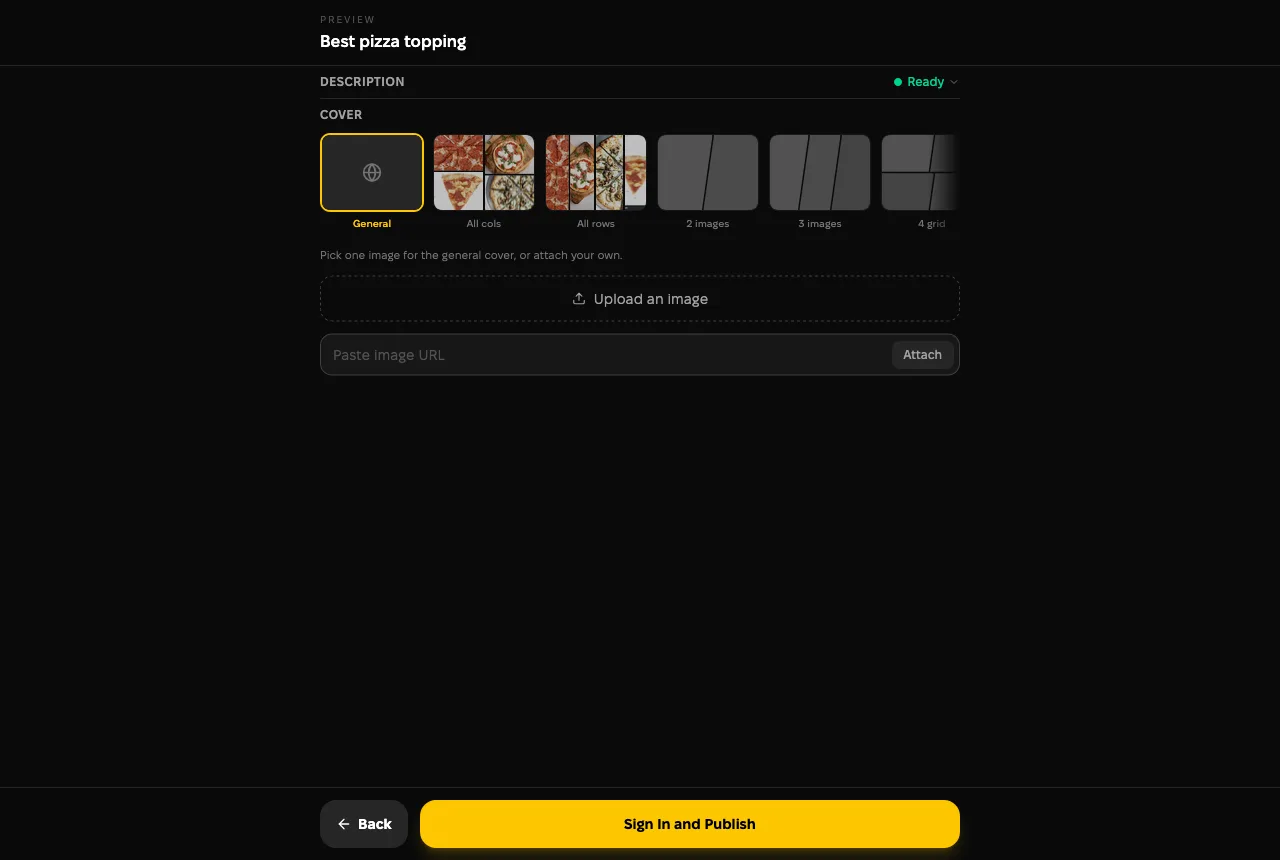
Guests get the sign-in prompt at this step. The draft is already saved, so nothing is lost, and the ranking goes live as soon as you are in.
Step 5: Share it and watch the ranking form
Anyone can play a published ranking. Voting always has the same shape: two options, one pick.
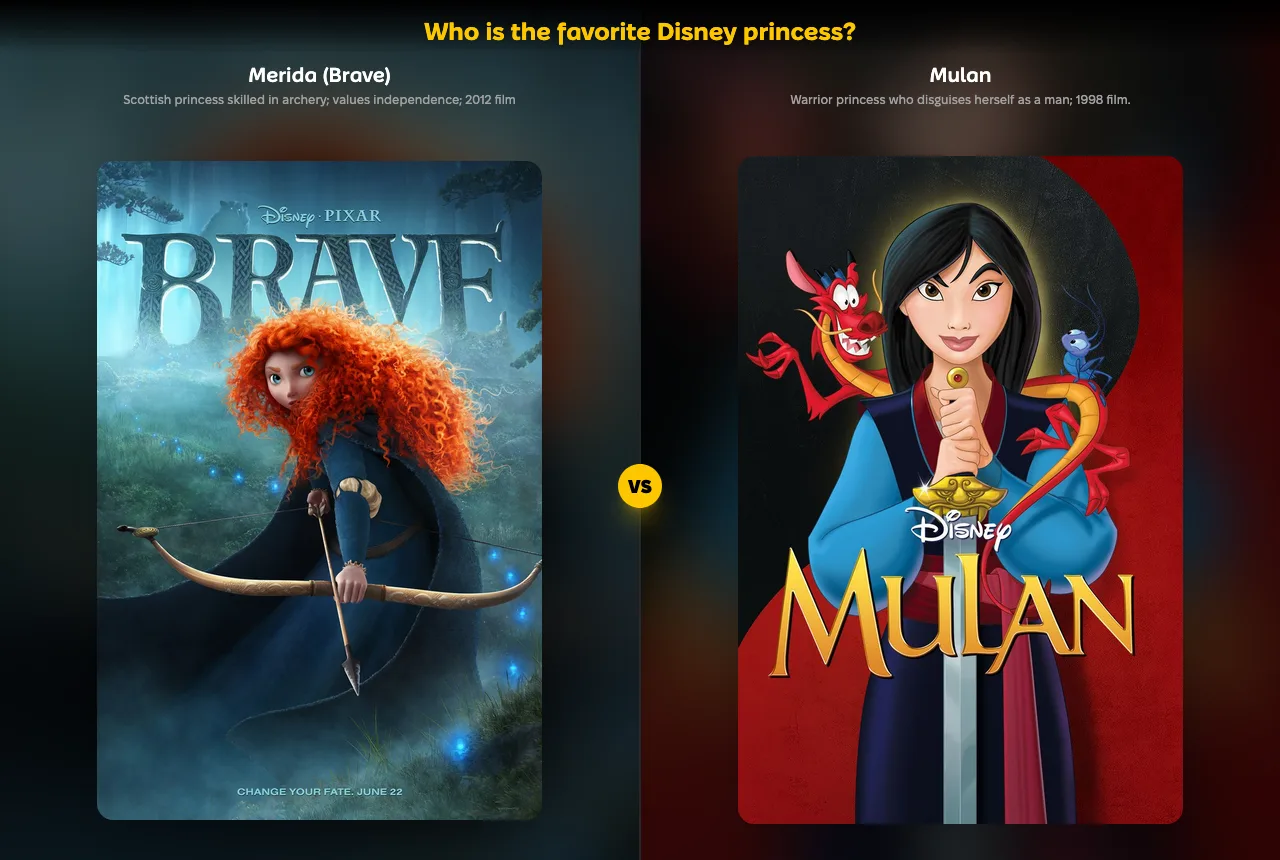
Two modes are available, and voters choose for themselves:
| Mode | How it works | Best for |
|---|---|---|
| Bracket | Options meet in rounds until one is left. | Crowning a champion. |
| King of the Hill | The winner stays on and a random challenger replaces the loser. | Racking up votes quickly. |
The results page fills in as votes arrive, with a score beside every option.
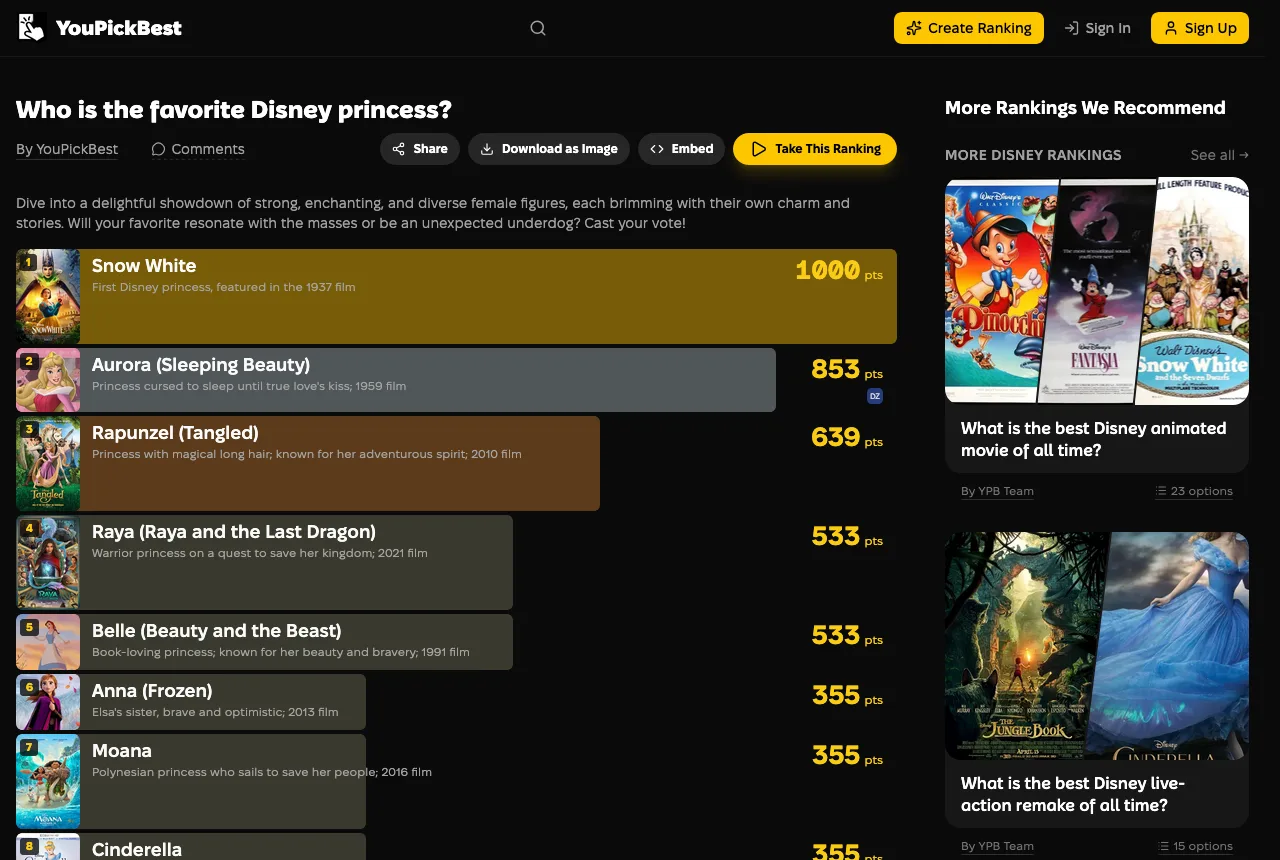
Post the link wherever your people already are. A bigger crowd makes the order harder to argue with.
Have a blog? Put the ranking inside your post, and readers vote without leaving your page.
Tips for a ranking people love to play
- Choose a topic with heat in it. Strong opinions produce votes.
- Give every option a real chance. A balanced field makes each matchup worth answering.
- Use images. Picture matchups are quicker to answer than lists of names.
- Keep sharing it. A head-to-head ranking is worth as much as the crowd behind it.
Your first ranking takes about five minutes, most of it spent choosing the options. The question you keep arguing about with friends is a good place to start.
More on how voting works
- How Head-to-Head Voting Works (and Why It Beats Polls) — what voters see once your ranking is live
- King of the Hill Voting: How Winner-Stays Ranking Works — the mode where one option defends its spot
- How Rankings Are Scored: The 1000-Point System — how each option's 0–1000 score is built